How to Import PST Calendar into Outlook 365? Best Tutorial
Robin Morgan | Modified: March 25th, 2026 | Data Migration
Importing PST Calendar into Outlook 365 is completely possible when you perform the correct procedure. In this guide, we will explain the PST calendar concept and also describe the best ways to perform Outlook calendar to Microsoft 365 Migration by manually and using Automated tools.
When users perform the process without knowing the correct procedure, they often face issues such as partial import, missing events, or failed to import. Emails and calendar data both work differently which can lead to partial import and failure.
It becomes frustrating when users invest time and efforts to perform and they face partial import, missing events, duplicate entries or incorrect time zones. Without knowing the proper method, it becomes risky and error prone especially when handling large PST files.
What is PST File and How Outlook Stores Data?
PST stands for Personal Storage Table and is an Outlook data file used to store mailbox data locally on a system. It contains various types of data including emails, calendars, contacts and more. When users export Outlook data, calendar information is also stored in the PST file as separate component,
The PST file organizes data into different folders and the calendar folders are one of them. It stores all Calendar details such as date, time, attendees, location, and event information making it different from email data.
Method 1 – Import Using Outlook Import/Export Wizard
If you want to import PST calendar manually into Microsoft 365 manually or have Microsoft Outlook installed and have configured Outlook 365 account then you can follow the as we have described below:
- Open Microsoft Outlook and click on File.
- Click on open and export then select Import/Export.
- The Import/Export Dialog box appears, choose Import from another program or file and click Next.
- Select Outlook data file (.PST) in the list and tap Next.
- Browse and select your PST file.
- Select how you want to handle duplicates and click Next.
- Select the Calendar folder from the PST file.
- Choose Outlook mailbox folder as the destination.
- Click on finish to start importing PST to Microsoft 365 Account.
Method 2 – Attach PST File & Copy Calendar
- Run Outlook and click on file option.
- Hit on open and export then select Open Outlook data file.
- Browse the PST file and expand the PST file.
- Open the Calendar folder and select the Calendar events as you want to move.
- Drag and drop or copy them into your primary Outlook 365 calendar.
Method 3. Automated Method to Import Outlook Calendar to Microsoft 365
If you want to import Outlook calendar to Microsoft 365 for batch import or multiple accounts using a professional Office 365 Import Tool is recommended. This software can handle large PST files and multiple calendars with high accuracy. This tool is specially designed to overcome the challenges such as partial import, file corruption, data loss and more. Download this software and follow the process as we have explained below:
- Install and run PST Calendar to Microsoft 365 Importer.
- Click on Outlook as source and Microsoft 365 as destination.
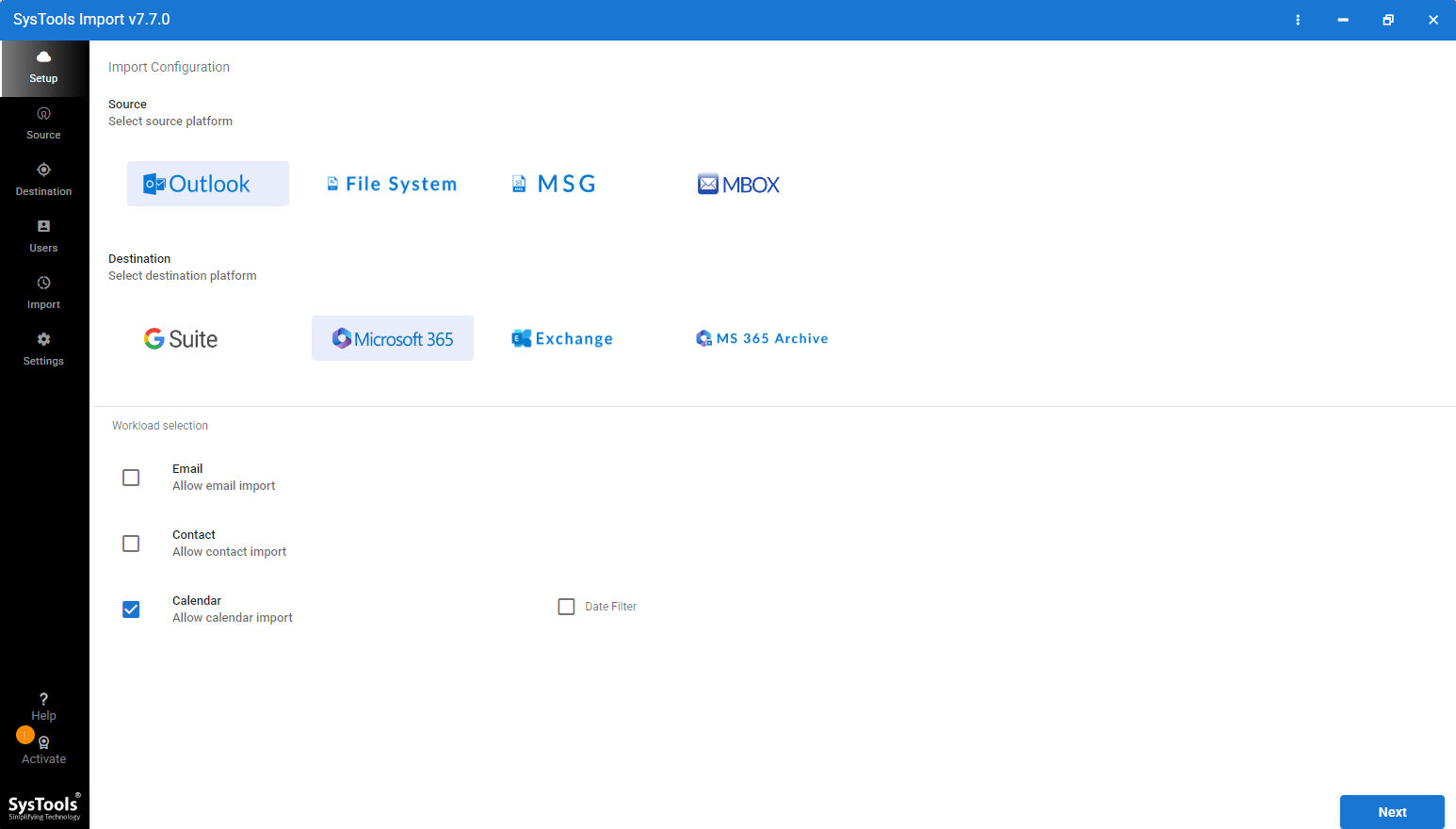
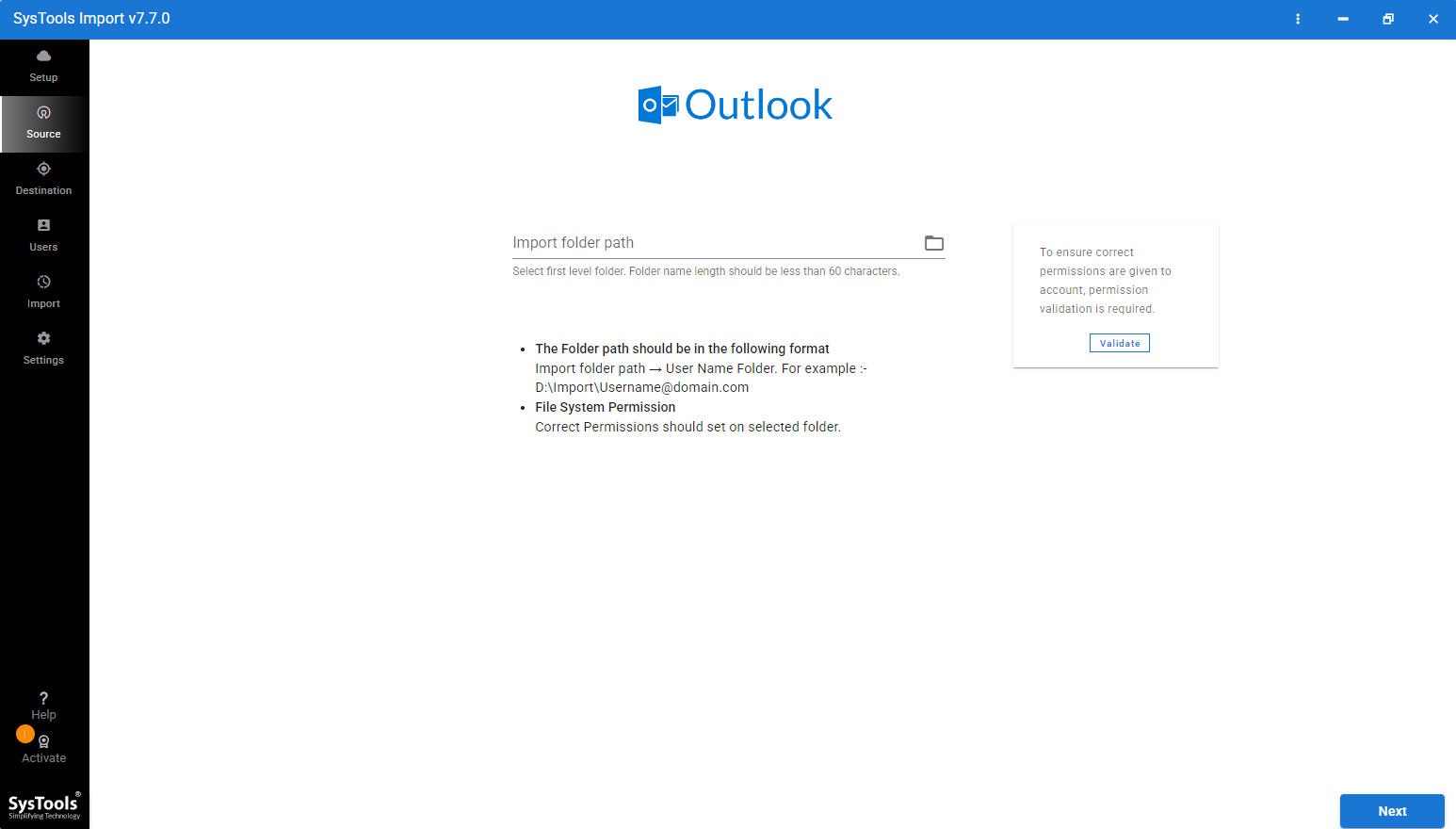
- Browse the PST calendar as you want to import.
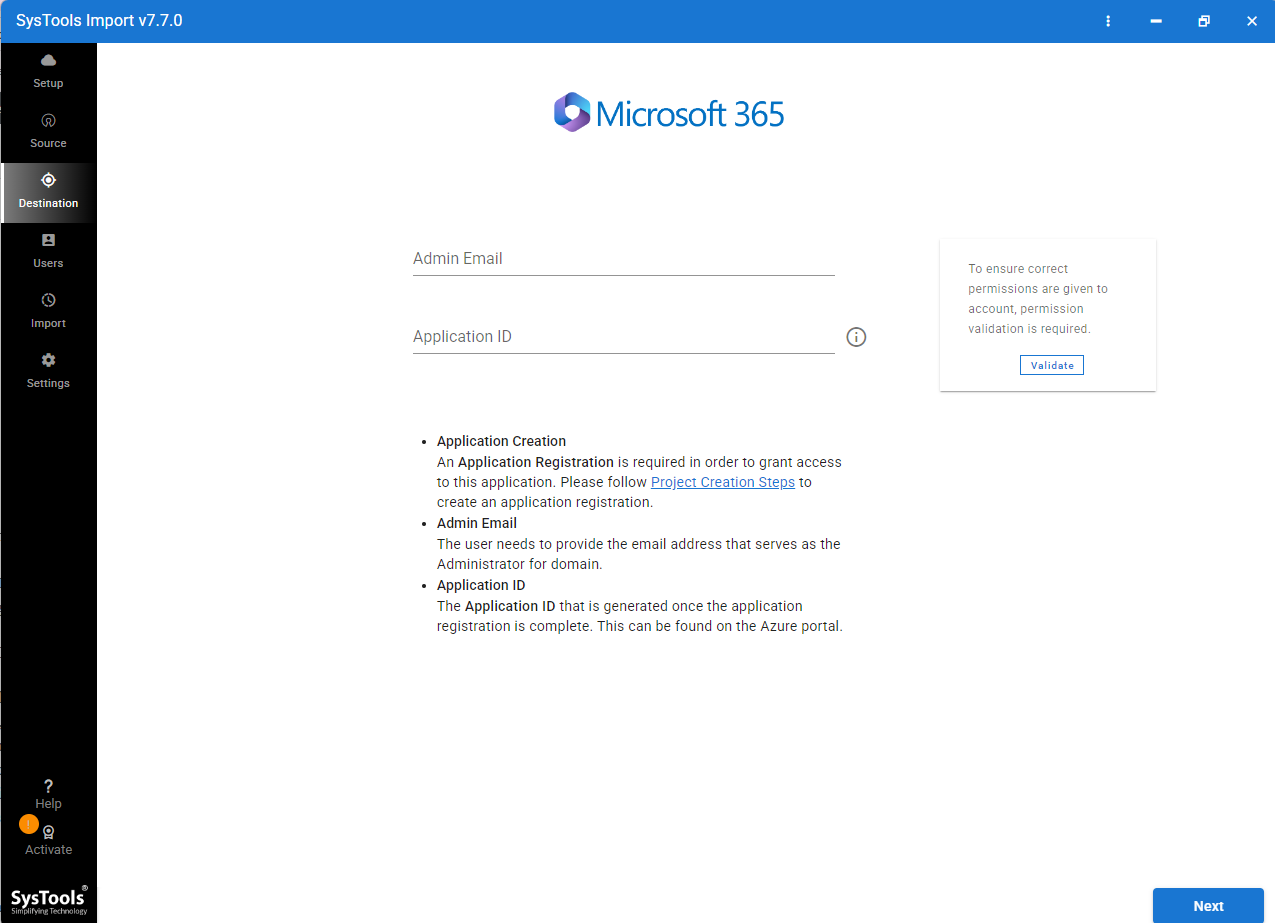
- Enter Microsoft 365 Admin email and application ID as you need.
- Click on fetch user and select targeted mailboxes.
- Select Concurrent settings and press Next to start importing Outlook calendar to Microsoft 365.
Key Features of PST Calendar to Microsoft 365 Importer
- It allows importing multiple PST calendars at once and making it ideal for organizations as they often require large-scale migrations or multiple user accounts.
- With this wizard, you can import PST calendar of any size without performance issues and worries about failures during the migration.
- All Outlook calendar properties will be preserved such as event dates, time zones, attendees, reminders and other data.
- This software is specially designed with advanced algorithms to eliminate the risk of data loss, partial import or missing calendar entries.
- Easily import PST calendar into Microsoft 365 accounts in a single process to save time and efforts.
Conclusion
In this guide, we have explained the PST calendar concept and tested import methods to import the PST calendar to Microsoft 365 by manual and using PST Calendar to Microsoft 365. If you have small data or are familiar with Outlook platform, you can use manual methods. For large scale migration, manual approaches are not recommended. Therefore, using Outlook Calendar to Microsoft 365 Migration Tool is a more reliable and accurate option for large scale migration.