Data Migration from On-premise to GCP
Robin Morgan | Published: March 24, 2026 | Data Migration
This guide provides a detailed explanation to help you to migrate from On-Premise to GCP with confidence. From establishing secure network connectivity to mapping workloads and executing a seamless transition, you’ll learn the exact steps needed for smooth and successful data migration from On-Premises to GCP.
Older hardware, expiring data center leases, and the rising cost of maintaining On-Premise servers are slowing down your infrastructure and limiting functionality.
When migrating legacy applications to the cloud goes wrong, the consequences can include unexpected downtime, data loss, and budget overruns. Google Cloud Platform offers a wide range of overlapping tools, choosing the wrong approach can lead to migration failure.
Assessing Your Current Infrastructure Environment
Before performing any migration, it’s crucial to understand what you are working on. A proper planning helps you to prevent data loss and choose the trustworthy migration tool. The first step is to identify the source of your email data. This could be live Microsoft Exchange Server, or any IMAP based platforms or locally email files available in PST, EML, MBOX and MSG format.
When the source platform is identified, the next step is to know the size of data including all mailboxes with attachments. This helps to know the estimated time of migration, connectivity usage and decide whether partial or whole data transfer. For organizations dealing with local storage files, it’s important to determine how to efficiently move On-premise data to Google Cloud or other platforms without affecting your productivity. Finally checking the health and accessibility of your data is crucial to prevent incomplete migration or facing errors after transfer, so validating data integrity to make migration smooth and more reliable.
Reasons to Migrate Data from On-Premise to GCP
- Minimize investment cost of hardware, maintenance, and energy using cloud infrastructure.
- Easily scale storage and computing resources based on business demand.
- Benefits from GCP global data centers and redundancy for uninterrupted access.
- Leverage advanced security features, encryption and compliance certifications.
- Manage workloads, data and users from a single Cloud platform.
How to Migrate data from On-Premise to GCP?
As manual migration is not possible for large scale mailbox data. So, we recommend you to opt Office365 Import Tool as this tool allows you to migrate all types of email sources such as PST, EML, MBOX and MSG. This tool can handle any size of mailbox data and is fully reliable to migrate into Google Workspace, Microsoft 365, Exchange Server.
- Download and run On Premise to GCP Migration Tool.
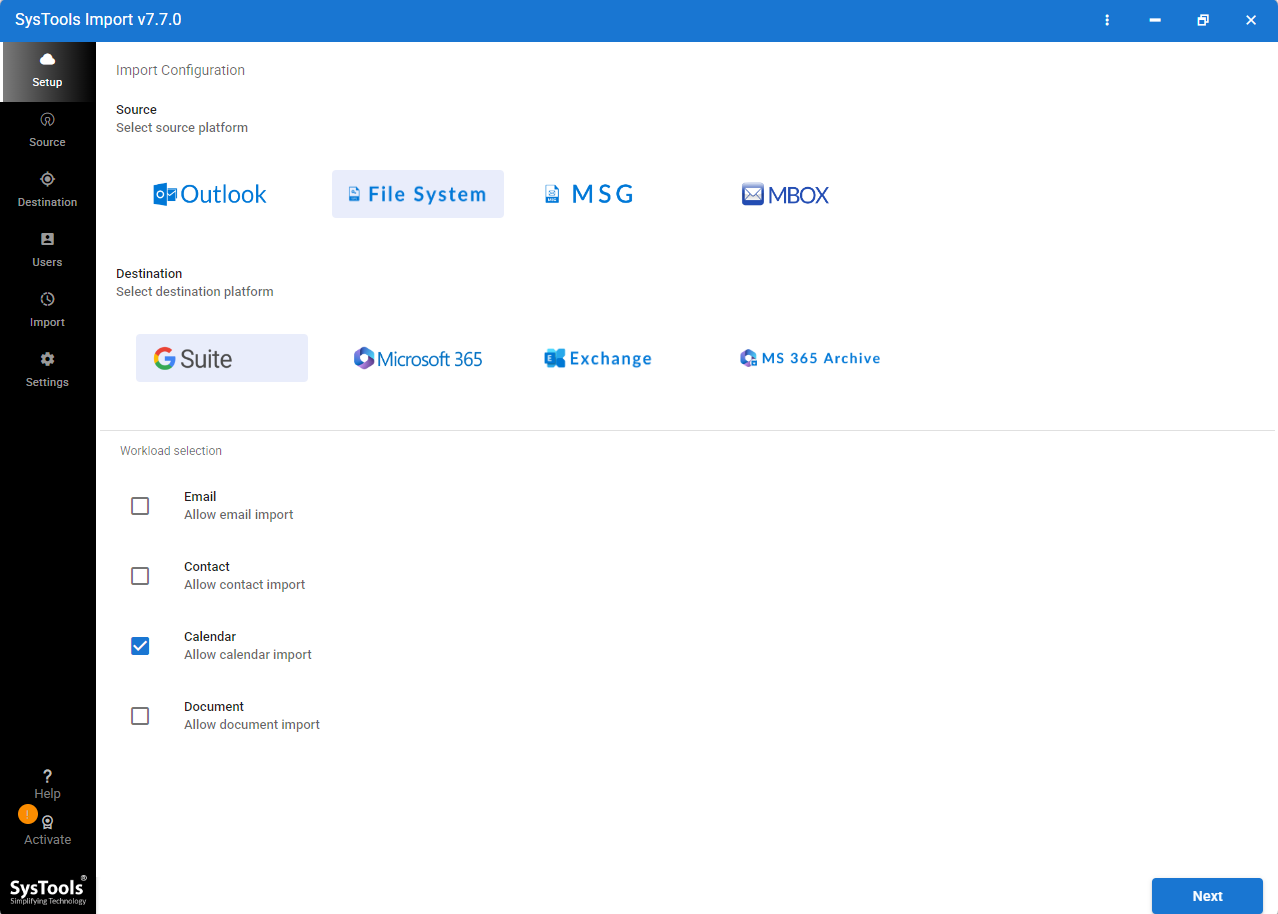
- Select your Source file type and Cloud server as destination source.
- Now, load your Emails files and validate them.
- Enter GCP credentials and validate it.
- Now, fetch the user and select the targeted mailbox.
- Choose Concurrent features according to your system configuration.
Key features of On-Premise to GCP Migration Tool
- It allows migrating emails from PST, MBOX, EML, and MSG with all versions of email formats.
- This software is capable of processing any size of mailbox data making it ideal for enterprise-level migration without limitations.
- It allows migrating email data to Google Workspace , Microsoft 365 and Exchange Server within minimal efforts.
- This wizard validates cloud credentials before migration to ensure data security and prevent failed transfers.
- Automatically fetch users from the cloud environment and map sources files to the appropriate target mailbox.
Conclusion
Now, you can easily migrate data from On-Premise to GCP by performing solutions as we have discussed. Our recommended solution is fully reliable to easily migrate your mailbox data. This software is fully reliable for often using email files and reliable for popular Cloud server migration. So, you can migrate your data and make your continuous productivity and keep your structure and formatting maintained as appears in On-premise platform.
Frequently Asked Questions
What is an on-premises Public cloud?
On-Premise Public Cloud is a company hosted personal server that organizations use to store its sensitive and compliance information.
What does GCP mean in the Cloud?
GCP stands for Google Cloud Platform, a suite of Cloud Computing services offered by Google. It provides infrastructure, storage, databases, networking and AI tools, enabling businesses to run applications, store data and scale workloads and flexible cloud environments.
What happens to my local email server after the move?
After migrating to the Cloud, your email servers can be retired, archived or kept as a backup. It no longer handles live mail delivery, but you may keep your previous records on your local server.