Trusted by professionals at


Migrate PST files to Microsoft 365, including emails, attachments, and all other Outlook data, using the Microsoft Graph API while preserving metadata and bypassing throttling via multi-threaded migration.
Windows 11/10/8.1/8/7
32-bit & 64-bit
macOS 11 Big Sur+
Apple Silicon & Intel
Trusted by professionals at
No scripts, no complex setup. Office 365 Import Tool handles everything
Graph API Based Migration
This software allows to upload PST file directly to Microsoft 365 using Microsoft Graph API with modern authentication, secure access, and long-term compatibility with Microsoft 365 cloud infrastructure.
100% Secure OAuth 2.0 Login
Connect safely using Microsoft’s secure token system. No need to store or ask for user passwords. Access is granted through strict role-based permissions, keeping your data locally protected.
Batch Migrations & User Mapping
Map and upload batch PST files to the correct user mailboxes in one shot. Runs automatically without manual steps and supports large PST files.
Concurrent Multi-Threaded Ingestion
Actively bypass throttling limits. It allows you to process multiple mailboxes at the same time using your available network bandwidth and reduce enterprise migration time.
Smart Incremental Delta Sync
If your connection is disconnected during migration, our Office 365 Importer automatically resumes from where it stopped and skips already migrated items, so there is no risk of duplication.
Granular Date & Category Filtering
You can select exactly what data to migrate and apply a date filter to migrate specific emails, contacts, and calendars so only the crucial data is moved.
Intelligent Destination Routing
Our tool allows you to decide where the data goes. You can migrate Outlook files to the primary mailbox or directly to the archive mailbox to keep the mailbox organized.
Forensic Data Fidelity
We make sure that your data stays unchanged. Folder structure, read/unread status, and all email details are preserved during migration.
Detailed Migration Reports
After migration, you get a detailed report including what was migrated, what was skipped, and if any issues occurred during migration.
Our guided wizard handles the entire migration process — from PST to Office 365 delivery.
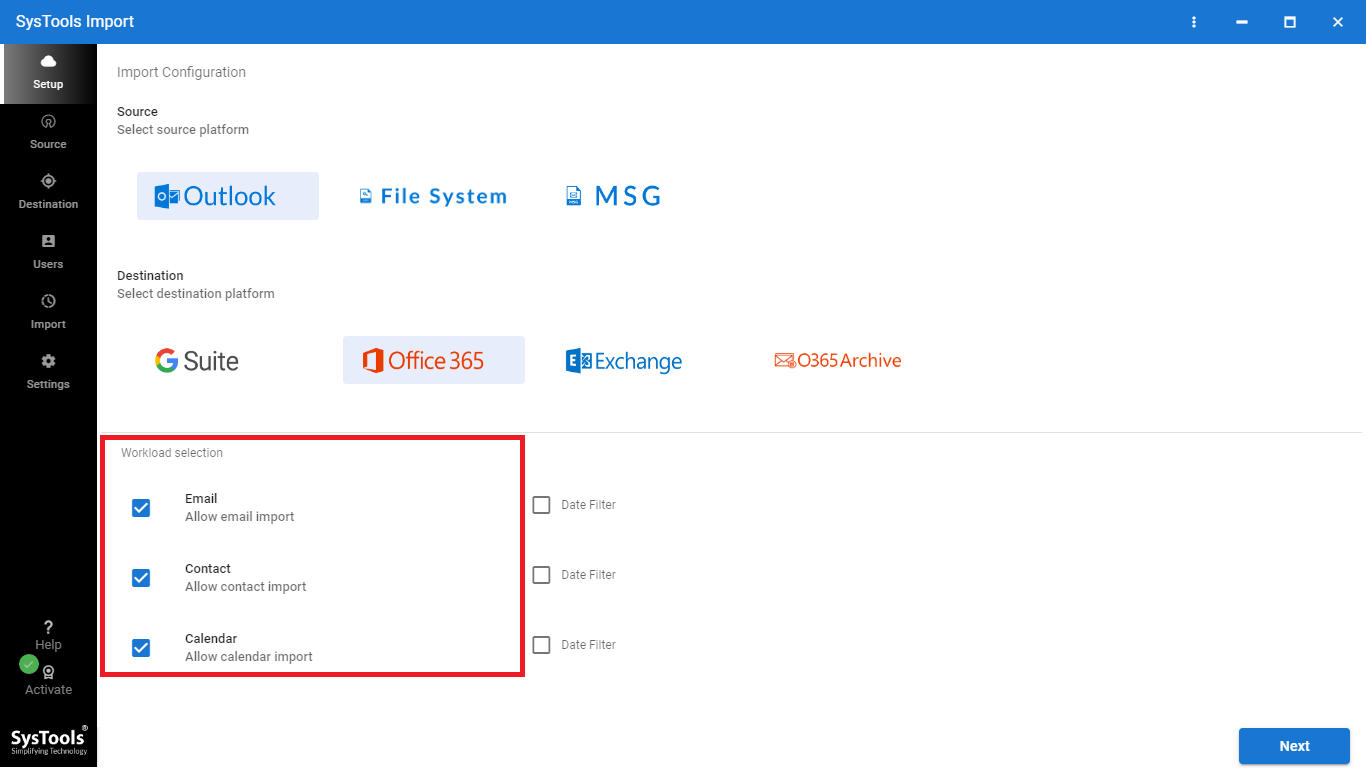
Select PST Source
Choose where your PST files are stored: Outlook profile or file system. Enter the folder path and tool check structure and permissions before moving forward.
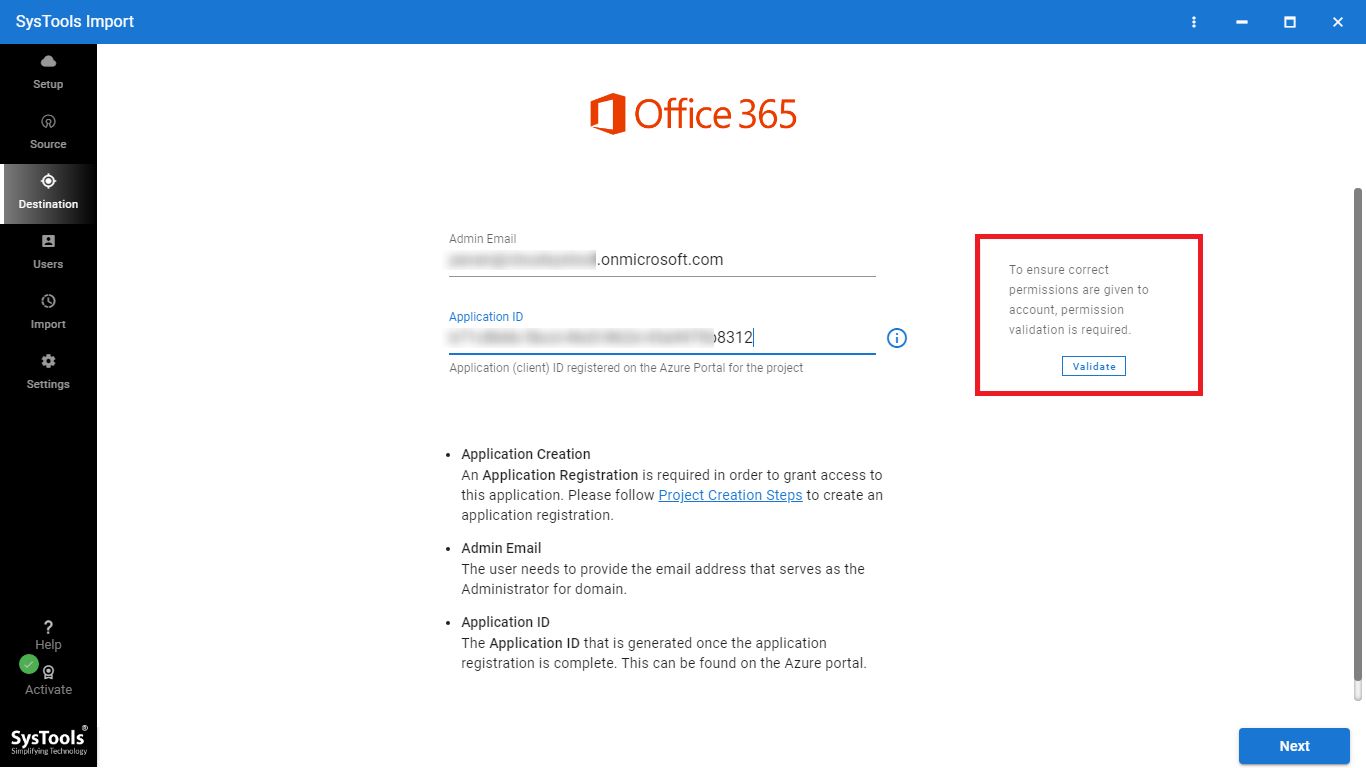
Connect to Microsoft 365
Sign in using secure OAuth Authentication, add your admin email and application ID, then validate permissions to ensure the tool has required permissions.
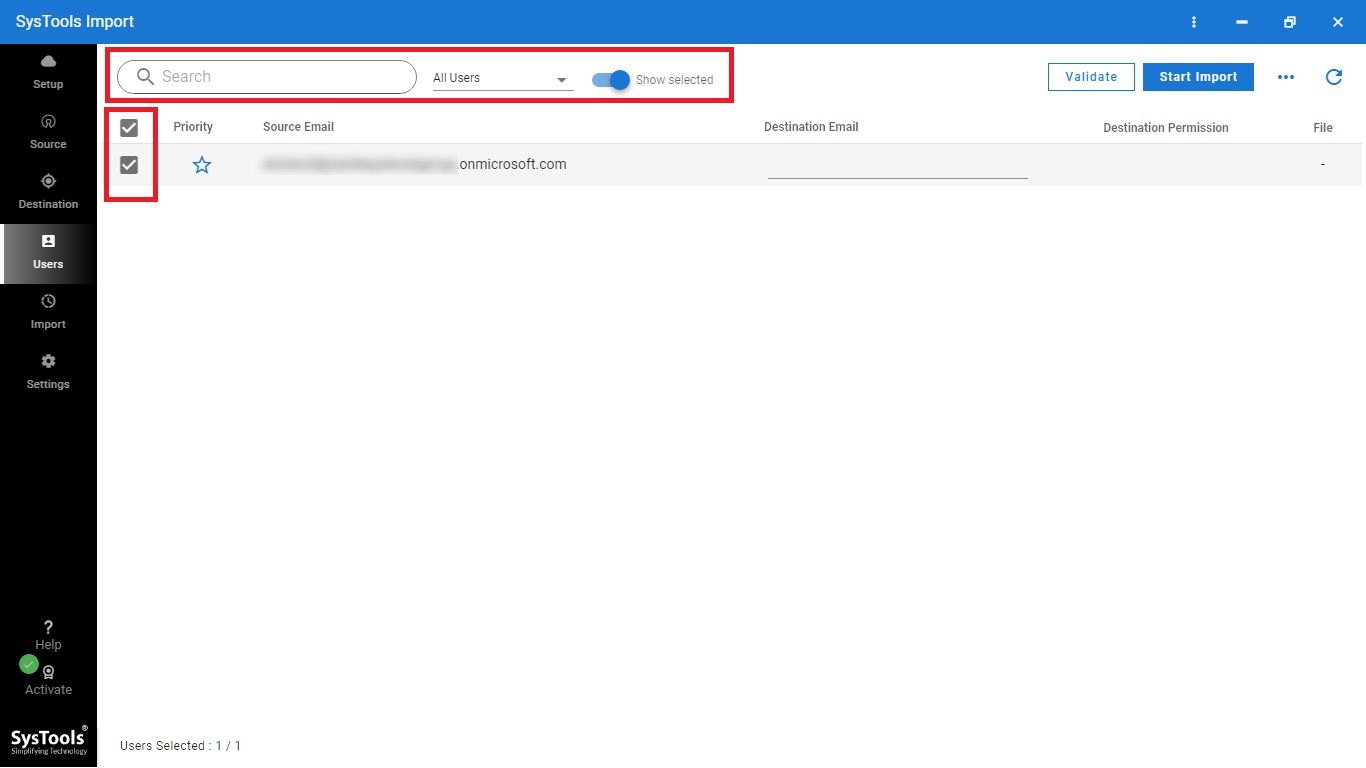
Map Users
Match PST files to correct mailboxes. Select what to migrate emails, contacts, calendars and apply date filters to include only the required data.
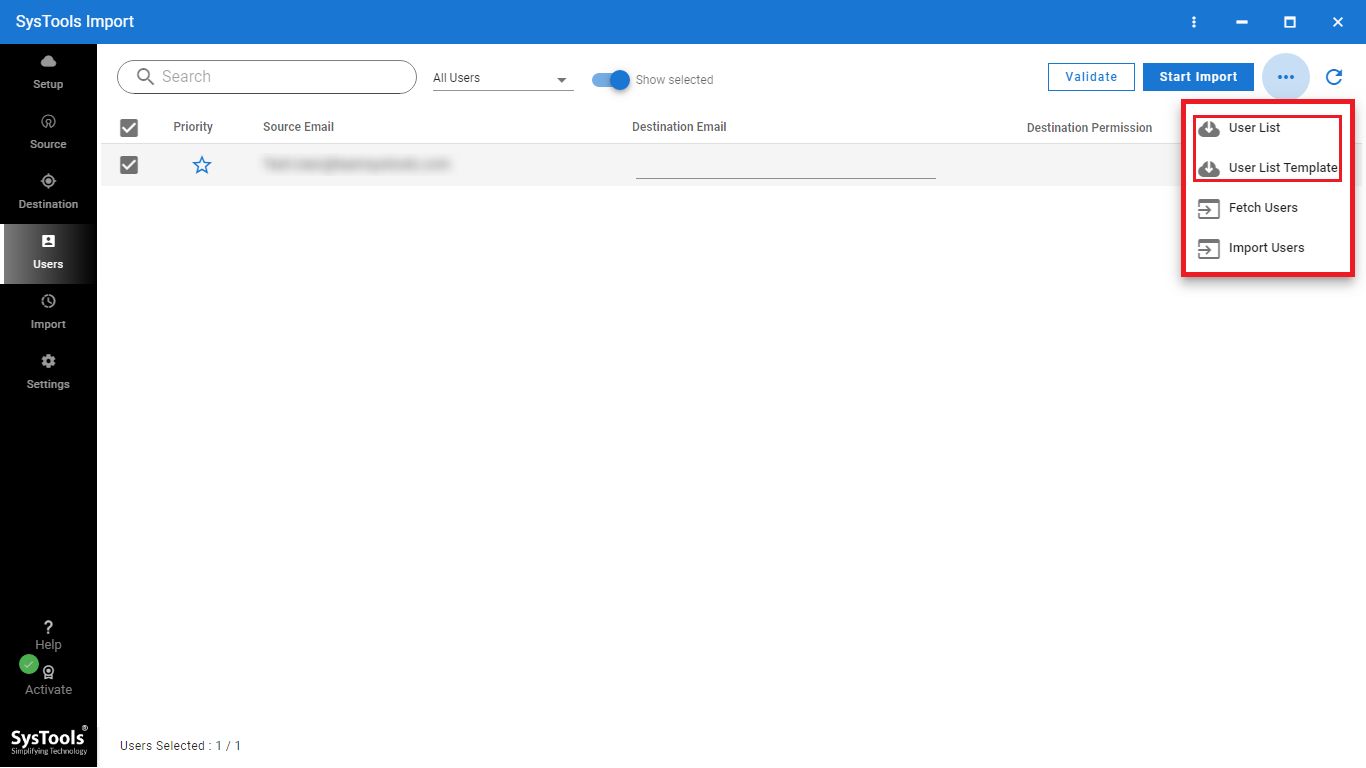
Start Migration
Run the import process and monitor progress in real time. Track each user mailboxes, identify issues and ensure all data is successfully migrated.
Download, connect and migrate PST files to Microsoft 365 in seconds
Windows
Win 7–11 · 32/64-bit
macOS
macOS 11 Big Sur+
Version 7.7 · 164 MB · Released April 2026
Windows 11/10/8.1/8/7
32-bit & 64-bit
.NET 4.5+
Version 7.7 · 231 MB · Released April 2026
macOS 11 Big Sur+
Apple Silicon & Intel
Catalina compatible
Enterprise-Grade Security
Secure PST migration with enterprise-level data protection
Fast Performance
High-speed PST to Microsoft 365 Migration
Build for Enterprise
Designed for IT Admins and large-scale migration
Public Mail Support
Migrate PST data to shared and public mailboxes
Private Mail Integration
Securely move PST files to private user mailboxes
Folder-level Control
Migrate selected folders with full control
Cost-Effective Solution
Affordable PST to Office 365 Migration for businesses.
Complete Outlook Migration
Migrate everything including emails, contacts, calendars and more.
| Feature | Office 365 Import Tool | Manual Method | Other Tools |
|---|---|---|---|
| Setup | Simple, guided steps | Complex (AzCopy + CSV) | Moderate |
| Migration Flow | Direct PST to mailbox | Upload to Azure first | Varies |
| Ease of Use | Very easy | Technical | Mixed |
| Speed | Fast, optimized | Slower | Moderate |
| User Mapping | Visual + bulk | Manual CSV only | Basic |
| Error Handling | Pre-checks + logs | Limited | Basic |
| Control | Full control before start | Limited | Partial |
Verified Security & Performance

Easy Usability Award
Recognized by Software Suggest leading software review platform, our Office 365 Importer is built with a strong focus on data security, reliability and performance.

100% Clean Award
This tool is verified by SoftPedia as 100% clean, ensuring it is free from viruses, malware, spyware or unwanted components.
Everything you need to know about Office 365 Import, migrations, licensing, and support.
4.9 / 5 average rating based on 12,400+ verified reviews.
This is the best import PST to Office 365 free tool. I have used this tool to upload a PST file of 19 GB size with different folders and subfolders within it to O365 account. All things were carried away in a seamless manner through this tool.
I had never imagined that migrating PST could ever be an easy task like this. I wanted to upload all of my old MS Outlook PST files into Office 365 account. This software helped me to import all those PST files in a trouble-free manner. A big thanks to developers for creating such a tool.
I was looking for a reliable Office 365 import tool to migrate PST files. This tool made the process simple and smooth. It even imported my Outlook 2003 PST with attachments—something other tools couldn’t handle.